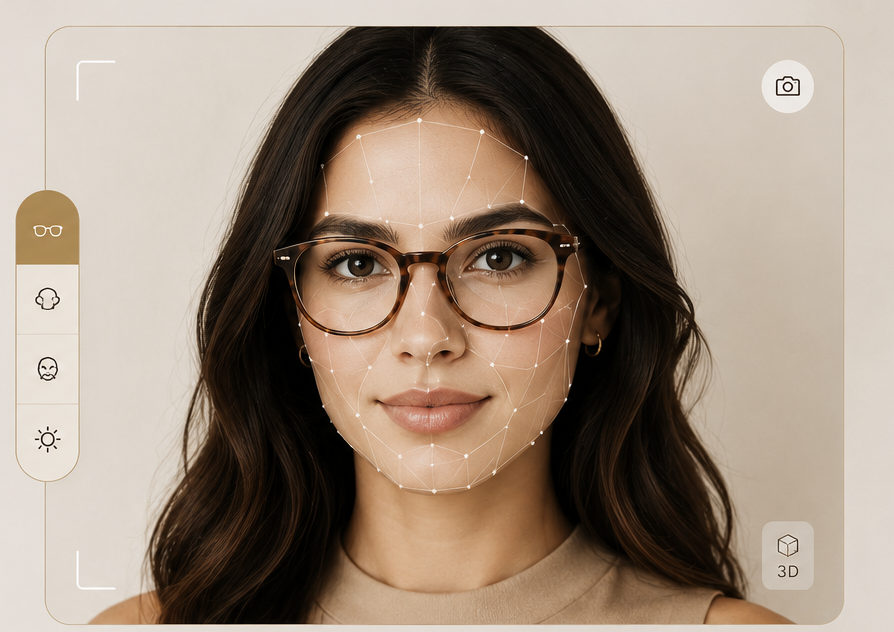
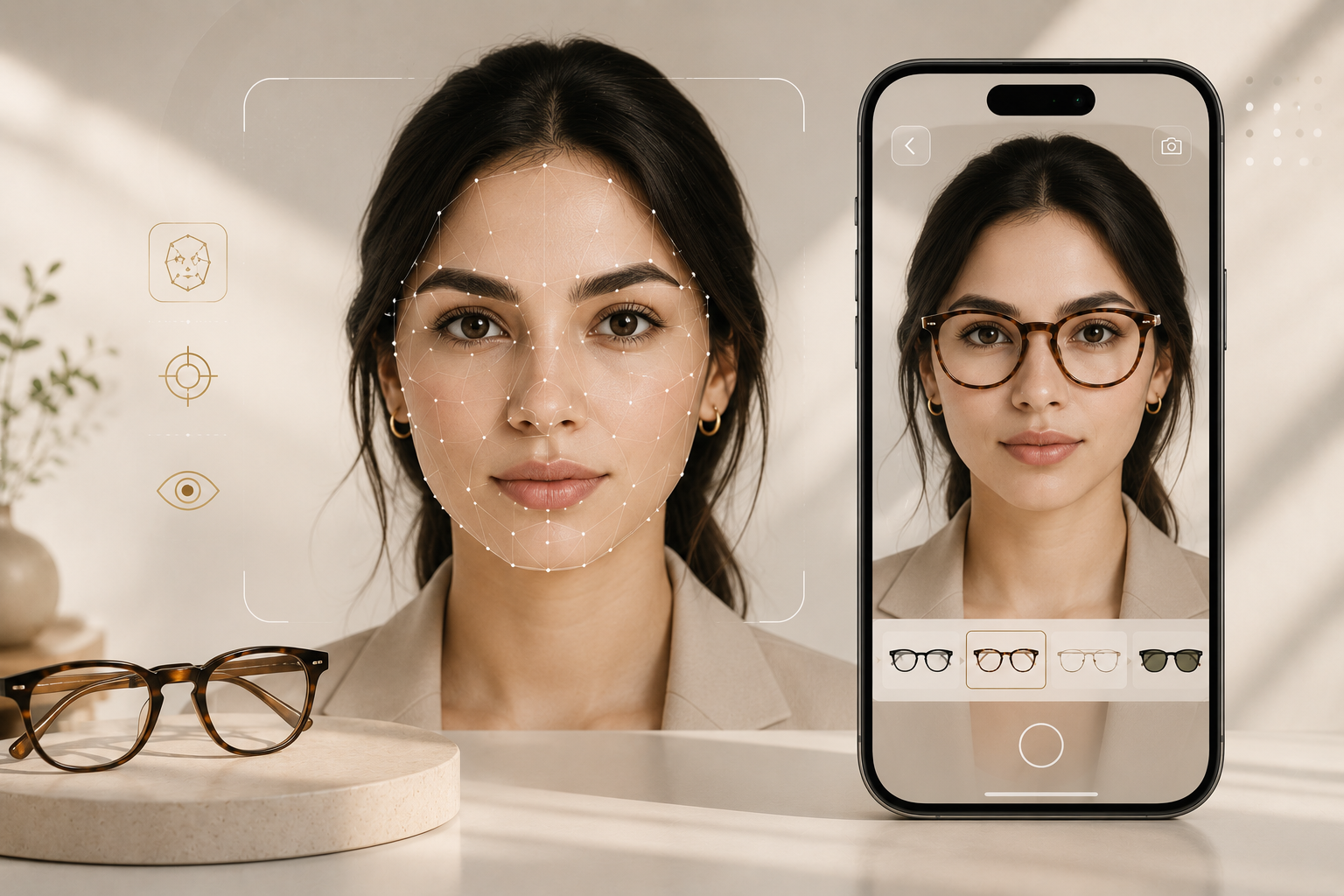
OPTICA's Virtual Try-On uses real-time AI face-mesh technology to place any frame from our collection directly on your face — live via webcam or from a photo. No app to download. No guessing. Just your face and the perfect frame.
Browse any frame in our collection of —+ designs. When you find one you like, click the Virtual Try-On button — no downloads or sign-ups required. The tool runs entirely in your browser.
Grant camera permission when prompted by your browser — or upload a photo instead. Our AI runs locally; your image data never leaves your device and is never stored on our servers.
Use the fit controls to fine-tune scale and position. Switch between frames instantly, take a screenshot to compare side by side, and add your favourite directly to cart — all from the try-on panel.
"The best fitting is the one that starts at home — where you have the time, the light, and the honesty to truly decide."— Lina Berrada, Director of Experience · OPTICA
Powered by Google's MediaPipe, our face-mesh model maps 478 precise points across your face in real time — tracking your eye positions, nose bridge, and face angle to anchor frames with sub-millimetre accuracy.
Frames are rendered directly onto a canvas element at 30+ frames per second, mirrored with your webcam feed. As you tilt, turn, or move, the frame tracks your face with minimal latency.
Each frame in our collection has been individually calibrated with a custom pivot point and scale factor, so every design sits exactly where it would on your face — not just centred on screen.
All processing happens in your browser using WebGL and WebAssembly. Your camera feed, face geometry, and any uploaded photos are never transmitted to our servers. Privacy is not a feature — it's the architecture.
Stream your webcam live and see frames update in real time as you move. Turn your head, smile, tilt — the AI tracks every movement to keep the glasses locked on your face.
Not comfortable on camera? Upload a portrait photo instead. The face-mesh AI will detect your features and overlay the selected frame with the same precision as live mode.
Three intuitive sliders let you adjust frame scale (size), vertical offset (nose position), and opacity independently — so you can account for your face shape and find the most realistic fit.
Browse the full collection while the camera stays on. Click any frame thumbnail and it appears on your face within milliseconds — no page reload, no waiting, no interruption to the session.
Capture a PNG screenshot of your try-on session at any time. Share it with a friend, compare two frames side by side, or send it to your optician for a prescription consultation.
Once you've found your frame, add it to your bag straight from the try-on panel — complete with size, colour, and lens type. No need to go back to the product page.
Every frame in our collection — from Venetian acetate rectangulars to aerospace titanium aviators — is ready to try on this instant. Find your face shape, explore silhouettes you've never considered, and decide with complete confidence.
Open the CollectionGood lighting
Face a window or a bright lamp. Even, diffuse light helps the AI detect your face accurately — avoid strong backlighting.
Face the camera straight
Start with your face centred and looking directly forward. Once the face is locked in, you can turn naturally.
Portrait photos work best
When uploading a photo, use a clear portrait — face filling roughly half the frame, no sunglasses, no hat.
Use fit controls
If a frame looks slightly small or off-centre, try the Scale and Offset sliders before switching frames. A small adjustment makes a big difference.
No. All face detection runs in your browser using WebAssembly. Your video stream and any photos you upload are processed entirely on your device and never sent to OPTICA's servers. We have no access to your camera data.
Yes — the AI can detect your face even with existing glasses on, though the overlay may appear less precise over your current frames. For the most accurate result, remove your glasses before starting the try-on session.
Virtual try-on is a close approximation — not a precise measurement. Lighting, camera angle, and face distance all affect how a frame sits. Use the Scale and Offset sliders in the fit panel to fine-tune. For a precise fit, book a bespoke consultation at one of our ateliers.
Absolutely. Use the Snapshot button in the try-on panel to save a PNG to your device, then share it however you like — by message, email, or social media. The image belongs to you entirely.
Every frame in our collection supports Virtual Try-On. Frames with a custom PNG overlay provide the most realistic rendering. For frames still being calibrated, the AI uses an accurate silhouette based on the frame shape — rectangular, round, aviator, cat-eye, geometric, or oversized.
Yes. After trying on a frame, add it to your cart and select your lens type during checkout. Our partner opticians can fit prescription lenses to any frame in the collection. You can also book a bespoke fitting via our Contact page for full in-person service.